How to import your LP token to Metamask
When you provide liquidity on Intrinsic, you will receive an LP token. Follow the steps below to import this LP token into your MetaMask wallet.
1. Take note of the transaction ID from creating your liquidity pool.
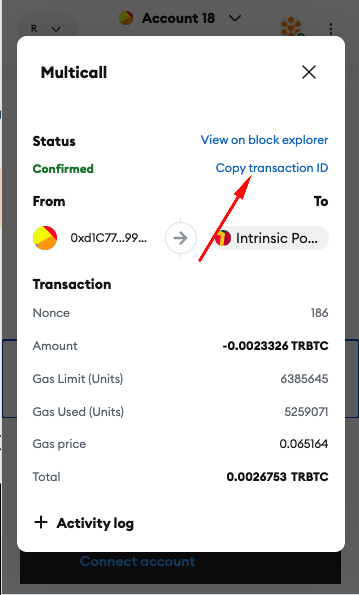
- Get the Token ID of your LP token.
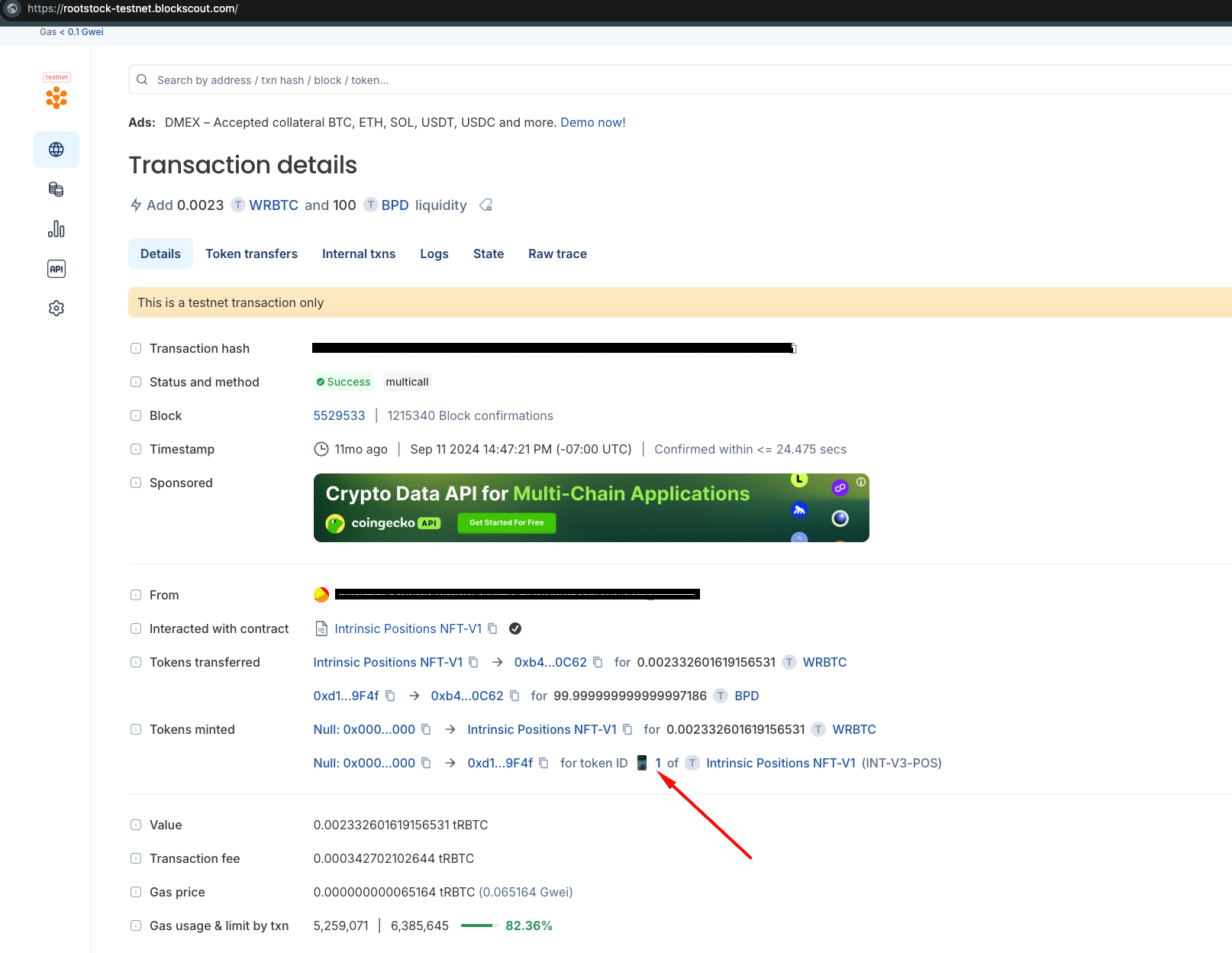
To get your LP token ID, paste the tranaction ID in Step 1 above into a block explorer. The example below uses blockscout.com block explorer.
The screenshot below shows Token ID = 1. Take note of this TokenID number; you will need it when importing the token into your wallet.
- Import the token to your Metamask wallet by going to the import NFT links.
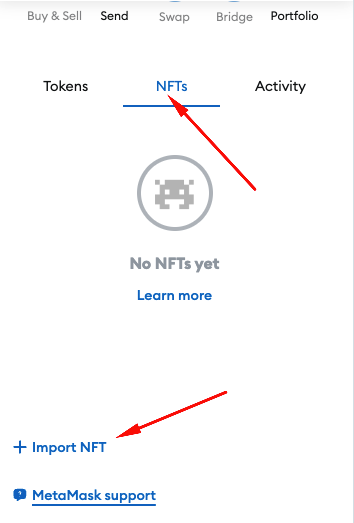
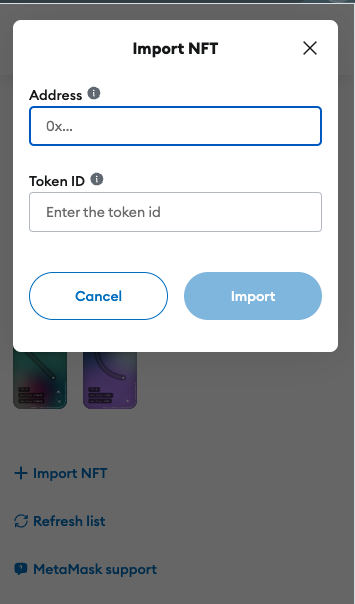
After clicking on the Import NFT link in your Metamask wallet, enter the following information in the Address and Token ID fields.
- *For the Address field, enter the contract address of the nonfungibleTokenPositionManagerAddress contract: [include address here]
- Enter the TokenID that you retrieved from Step 2 in the TokenID field.
After the final steps above, your LP token will be imported into your wallet. Congratulations!
Your LP token will be visible in your wallet, as shown in the following screenshot.
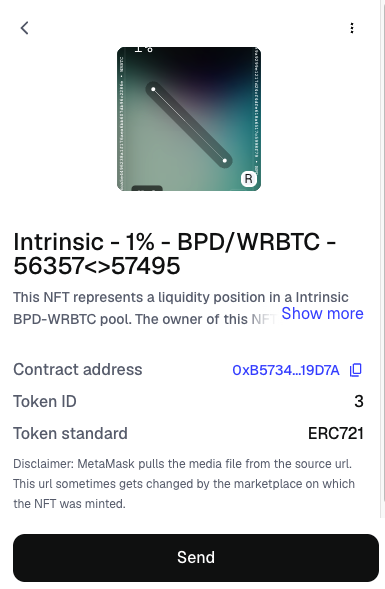
Note: If you cannot see your LP token, Metamask likely hides the display of NFT LP tokens by default for privacy reasons. You can force display LP tokens by turning ON 'Display NFT Media' in your Metamask Settings.